Diff Mode
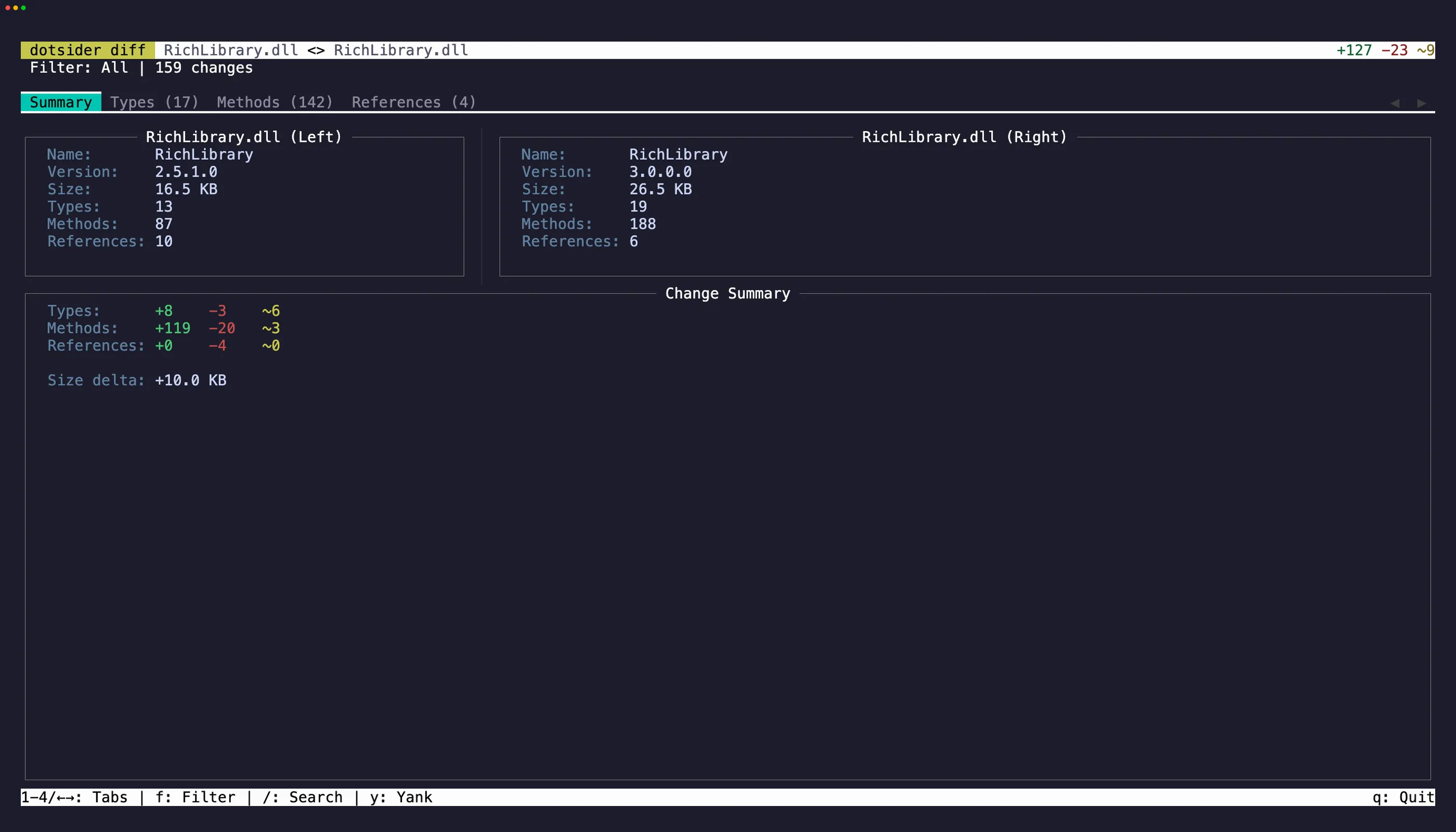
Diff mode compares two assemblies side by side:
dotsider diff v1.dll v2.dllEach tab shows both assemblies with differences highlighted. Added items appear in green, removed in red, changed in yellow.
Filters
Section titled “Filters”Press f to cycle through diff filters:
| Filter | What it shows |
|---|---|
| All | Everything from both assemblies |
| Added | Items only in the right assembly |
| Removed | Items only in the left assembly |
| Changed | Items present in both but different |
This is useful for reviewing breaking changes between library versions, auditing what changed in a new build, or understanding the impact of a refactoring.
The Summary tab has selectable info panels and change statistics. Press Tab to cycle focus between them, select text, and press y to copy. iw and yiw work in these panels for quick word-level copying.
On the Types, Methods, and References tabs, focus a row and press y to copy it as tab-separated values. A brief flash confirms the yank.