NuGet Mode
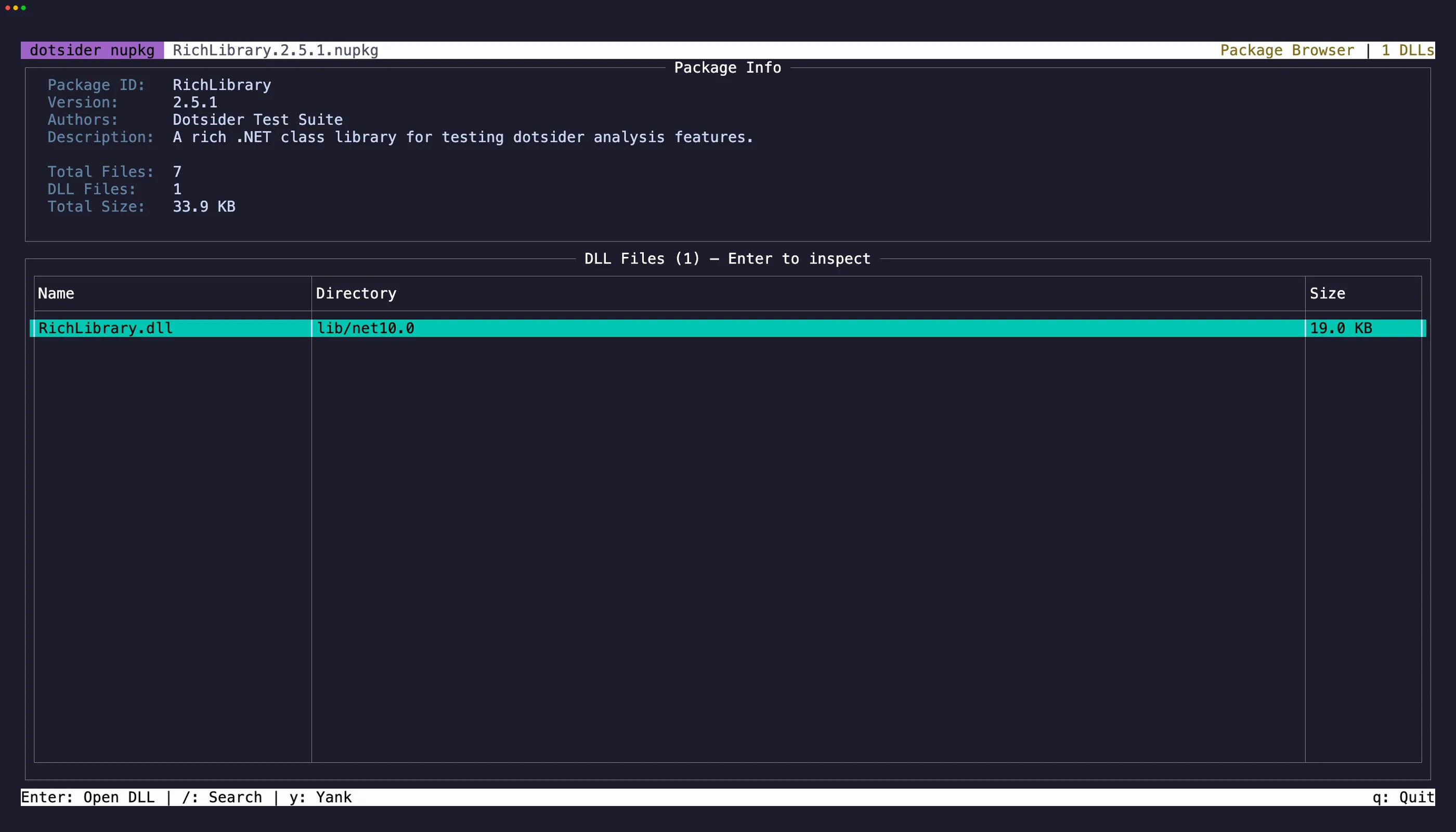
Open any .nupkg file directly:
dotsider package.nupkgdotsider lists the package contents — the .nuspec manifest, lib folders per target framework, and any other files. Select a DLL and press Enter to open it in the full analyzer with all 8 tabs.
NuGet packages are ZIP files. When you open a DLL, dotsider extracts only that assembly into a private temporary directory, analyzes it like a regular DLL, and removes the directory when NuGet mode closes.
Package paths are treated as untrusted. DLLs with rooted, directory-traversing, or ambiguous paths remain visible in the file list, but dotsider refuses to extract them and shows an error instead.
Control characters in package metadata and archive paths are shown in a visible escaped form. Copying a file row still copies its exact archive path.
Navigation
Section titled “Navigation”Press Tab to cycle focus between the Package Info panel and the DLL table. Press Esc to return from a DLL inspector back to the package browser. The previously selected DLL row is restored.
Select text in the Package Info panel and press y to copy. iw and yiw work here for quick word selection, V selects the line, and yy copies it. On the DLL table, focus a row and press y to copy the file path.