Hex Dump
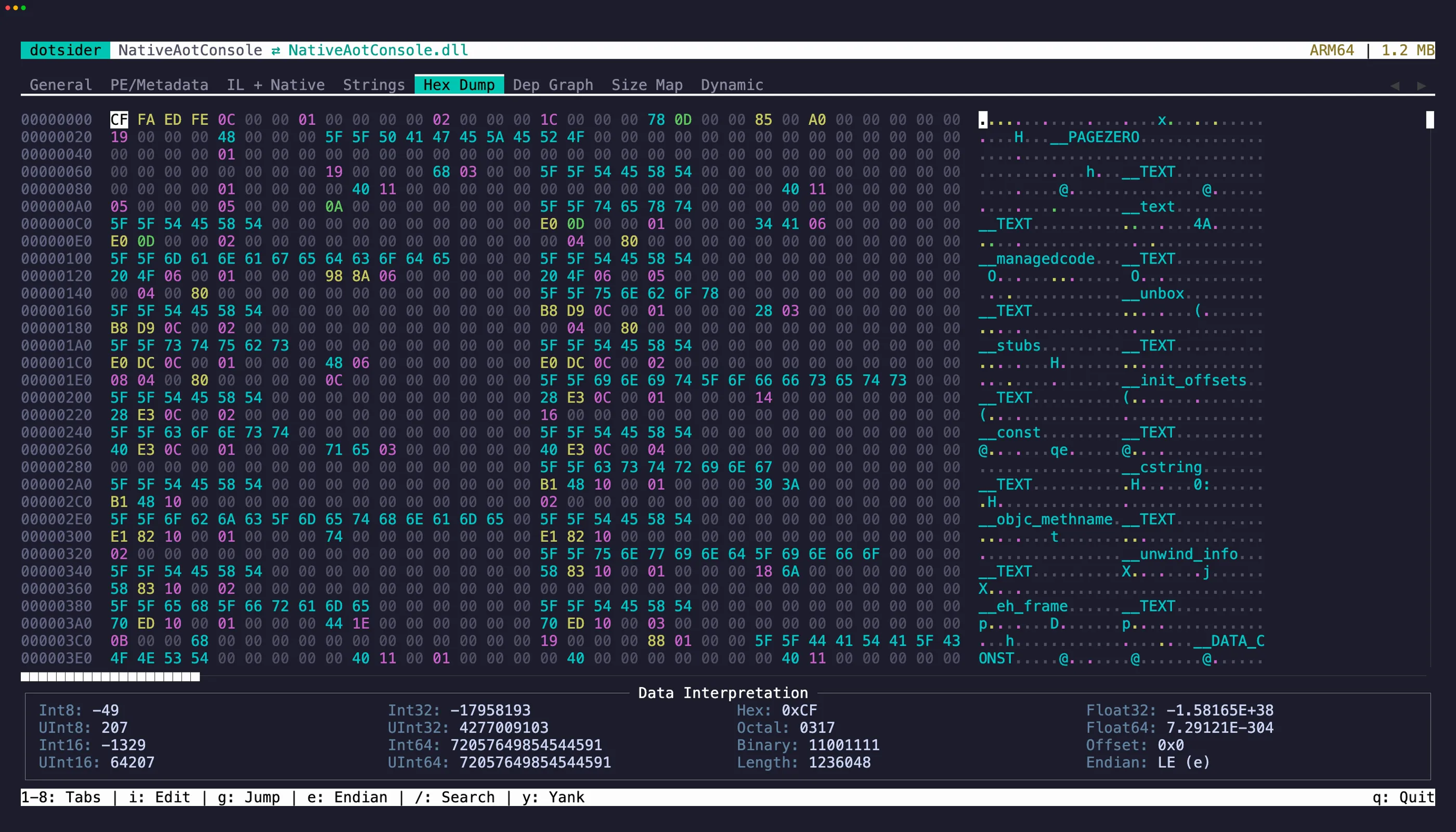
The Hex Dump tab (5) is a full hex editor with:
- Byte category coloring — PE headers, metadata, IL bodies, and data sections are color-coded
- Data interpretation panel — shows the value at the cursor as int8/16/32/64, float32/64, hex, octal, and binary with text selection and copy support
- Vi-style modal editing — starts in normal mode (read-only) to prevent accidental writes
Normal mode
Section titled “Normal mode”| Key | Action |
|---|---|
h j k l |
Vim-style cursor movement |
g |
Jump to hex offset |
i |
Enter insert mode |
e |
Toggle endianness (LE/BE) |
Tab |
Toggle focus between hex editor and data interpretation panel |
/ |
Search |
Ctrl+T |
Toggle text/hex search mode |
Insert mode
Section titled “Insert mode”Press i to enter insert mode. Type two hex digits (0-9, a-f) to overwrite one byte — the first digit sets the high nibble, the second commits the edit.
Press Esc to return to normal mode.
Saving
Section titled “Saving”Press Ctrl+S in normal mode when bytes have been modified. The editor validates the PE image before writing — invalid edits are rejected.
Raw dotnet.native.wasm modules and Webcil app assemblies open read-only in the Hex Dump. x from the Disassembly tab jumps to a raw Wasm function body; x from managed Webcil IL jumps to the Webcil-contained method body bytes.