Hex Dump
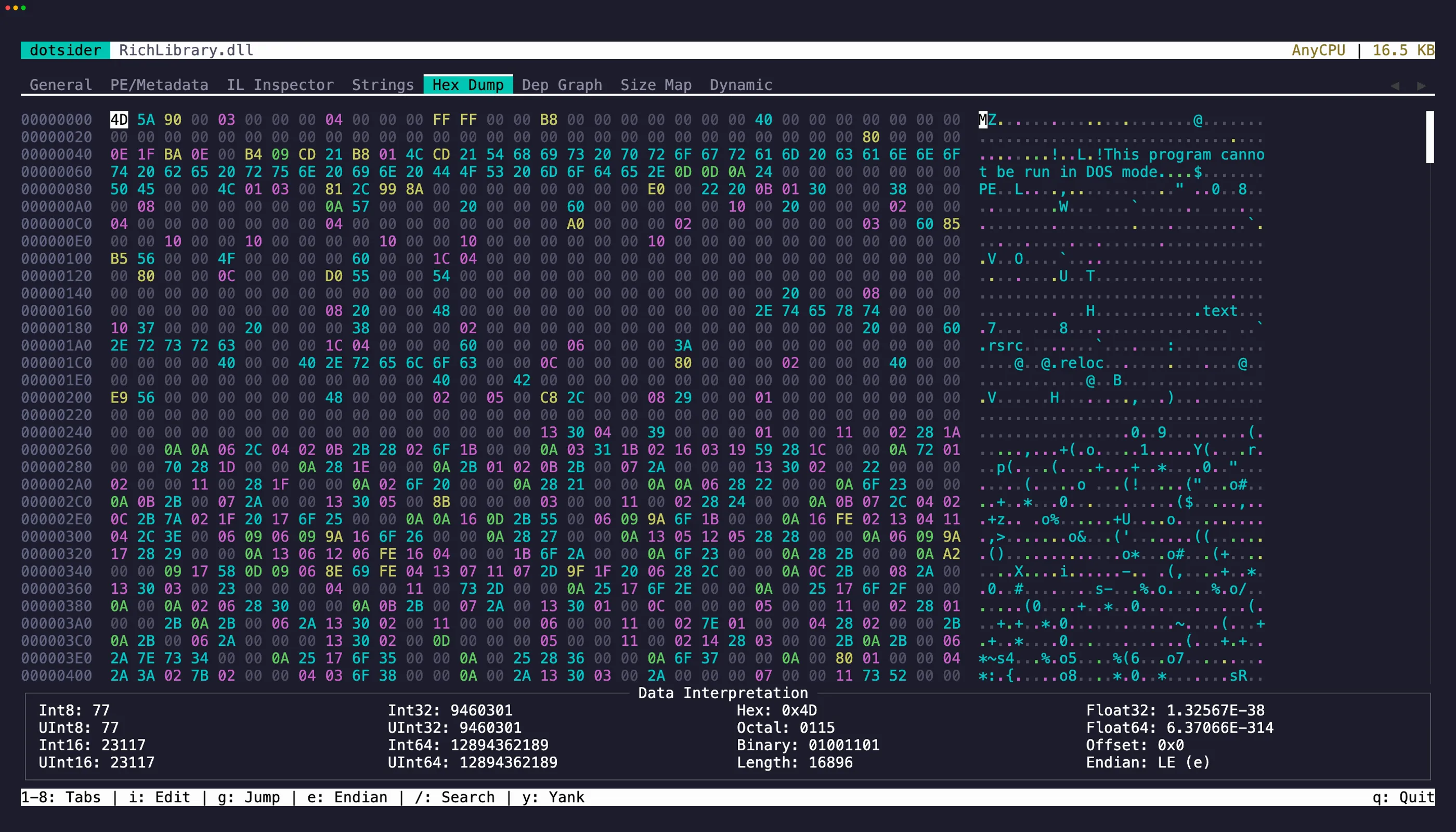
The Hex Dump tab (5) is a full hex editor with:
- Byte category coloring — PE headers, metadata, IL bodies, and data sections are color-coded
- Data interpretation panel — shows the value at the cursor as int8/16/32/64, float, double, and UTF-8
- Vi-style modal editing — starts in normal mode (read-only) to prevent accidental writes
Normal mode
Section titled “Normal mode”| Key | Action |
|---|---|
h j k l | Vim-style cursor movement |
g | Jump to hex offset |
i | Enter insert mode |
e | Toggle endianness (LE/BE) |
/ | Search |
Ctrl+T | Toggle text/hex search mode |
Insert mode
Section titled “Insert mode”Press i to enter insert mode. Type two hex digits (0-9, a-f) to overwrite one byte — the first digit sets the high nibble, the second commits the edit.
Press Esc to return to normal mode.
Saving
Section titled “Saving”Press Ctrl+S in normal mode when bytes have been modified. The editor validates the PE image before writing — invalid edits are rejected.