IL Inspector
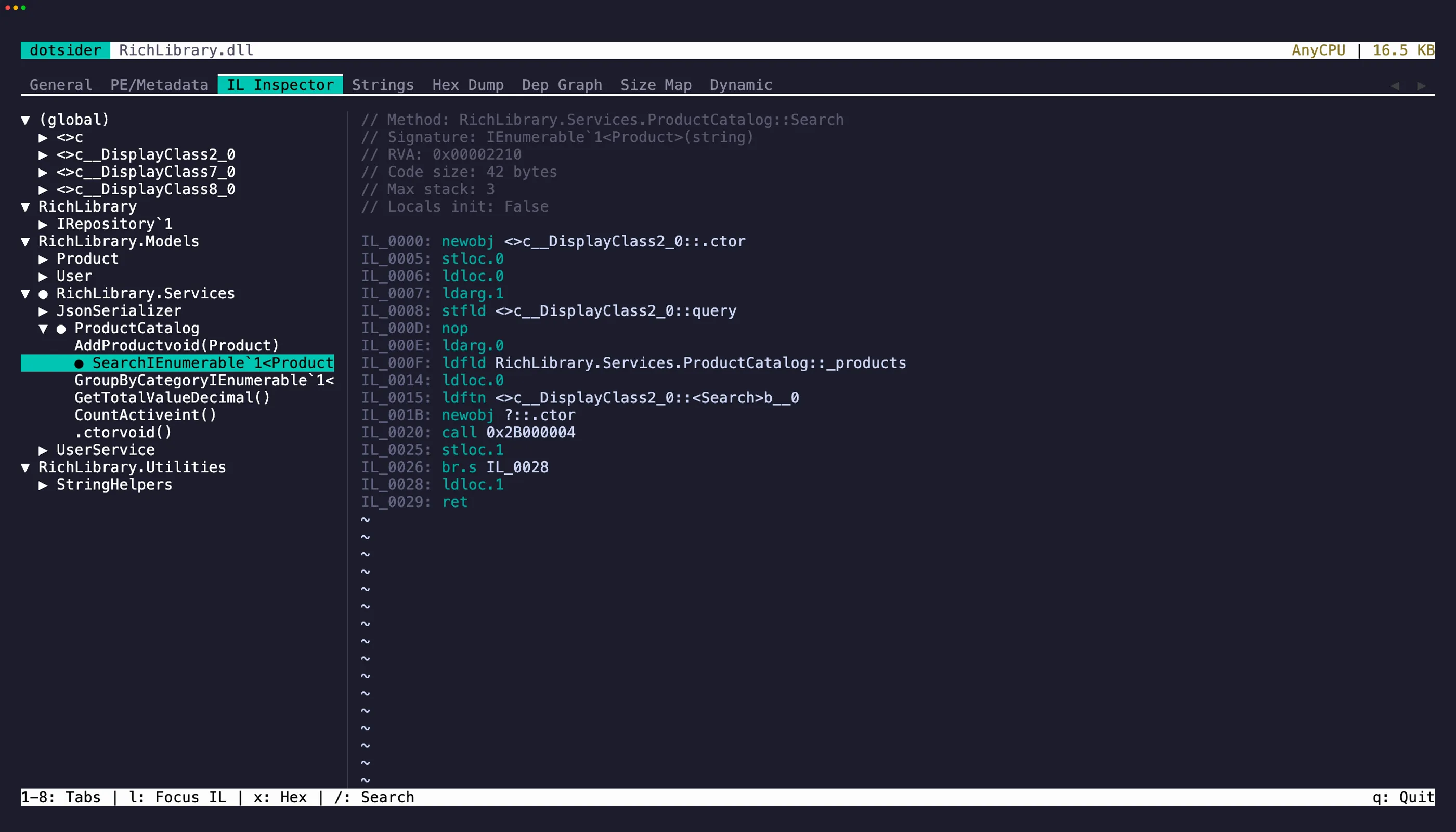
The IL Inspector tab (3) shows a tree of all namespaces, types, and methods. Select a method to see its IL bytecode in the right pane.
Each instruction shows:
- Offset — byte offset within the method body
- Opcode — the IL instruction
- Operand — decoded metadata tokens, string literals, branch targets
Cross-tab navigation
Section titled “Cross-tab navigation”- Press
xon a selected method to jump to its body in the Hex Dump tab. The hex view scrolls to the method’s RVA. - Press
Escto return to where you came from.
Select text in the disassembly pane with click-drag or Shift + arrow keys, then press y to yank it to the clipboard. The cursor collapses to the end of the selection and a brief flash confirms the copied range — matching neovim’s yank behavior.
iw selects the word under the cursor (an opcode, a token, a label). yiw copies it directly. iW grabs the full whitespace-delimited token, which is useful for qualified names in operands.
Search
Section titled “Search”Press / to search method names or IL content. Matches are highlighted in both the tree and disassembly panes.