PE / Metadata
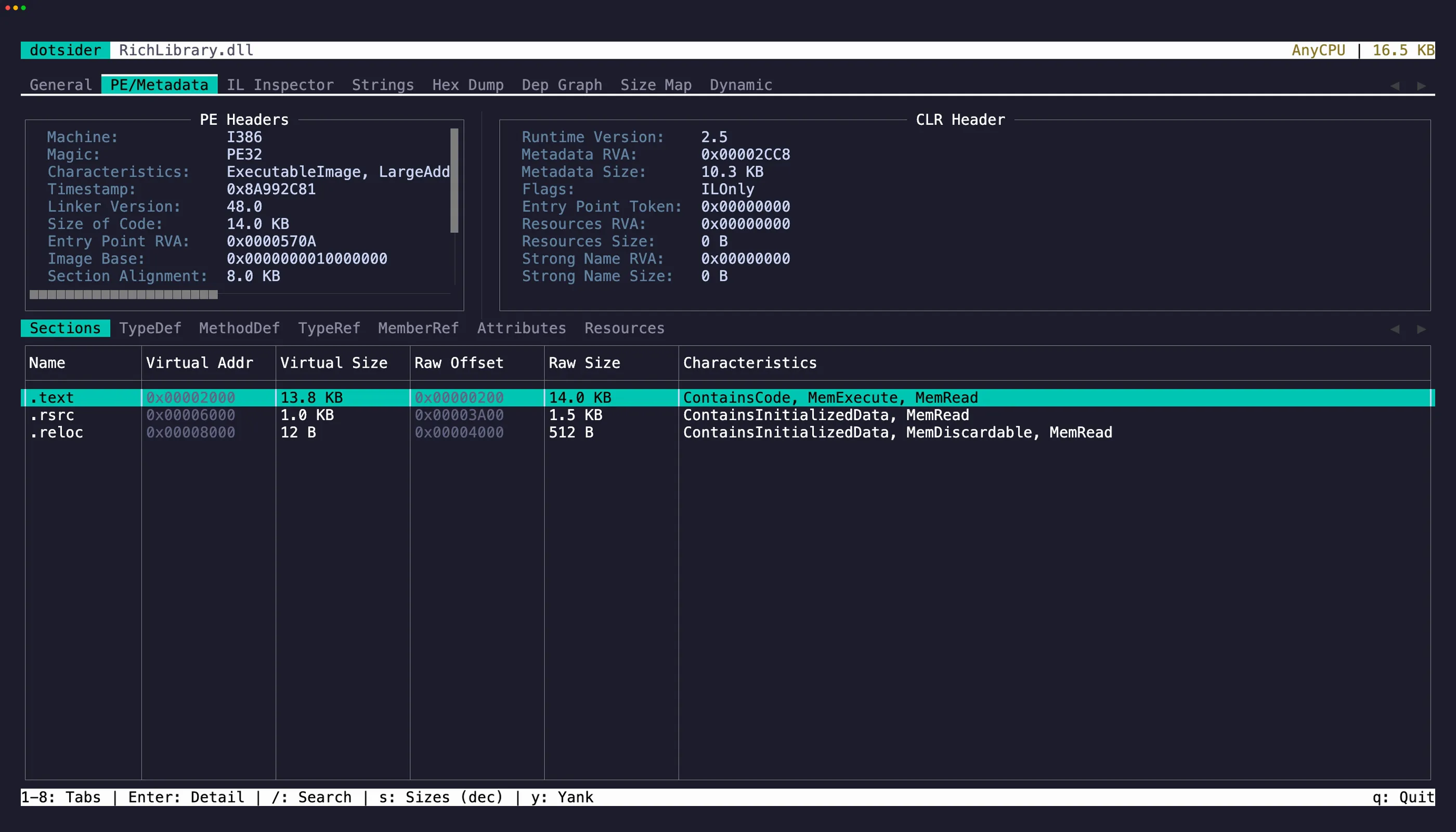
The PE / Metadata tab (2) exposes the raw structure of the Portable Executable:
- COFF header — machine type, number of sections, timestamp
- CLR header — runtime version, flags, entry point token
- Sections — .text, .rsrc, .reloc with virtual addresses and sizes
- TypeDefs — every type defined in the assembly
- MethodDefs — every method with its RVA and flags
- AssemblyRefs — referenced assembly metadata
- Custom attributes — applied attributes with decoded arguments
- Resources — embedded resources with names and sizes
Text selection and copy
Section titled “Text selection and copy”The PE Headers and CLR Header panels are selectable editors. Press Tab to cycle focus between them and the metadata table. Select text and press y to copy. iw and yiw work here too — quick way to grab a single header value.
Press Enter on any metadata table row to open a detail popup. The popup is also a selectable editor — select specific values and press y to yank them.
On table rows, press y to copy the focused row as tab-separated values.
Jump to IL
Section titled “Jump to IL”Select a TypeDef or MethodDef and press g to jump directly to its IL disassembly in tab 3. The IL Inspector opens with that item pre-selected.